What is Phishing? Uncover the secrets of phishing attacks. Our comprehensive guide explains what phishing is, how to identify dangerous scams, and offers essential tips to protect your online identity.
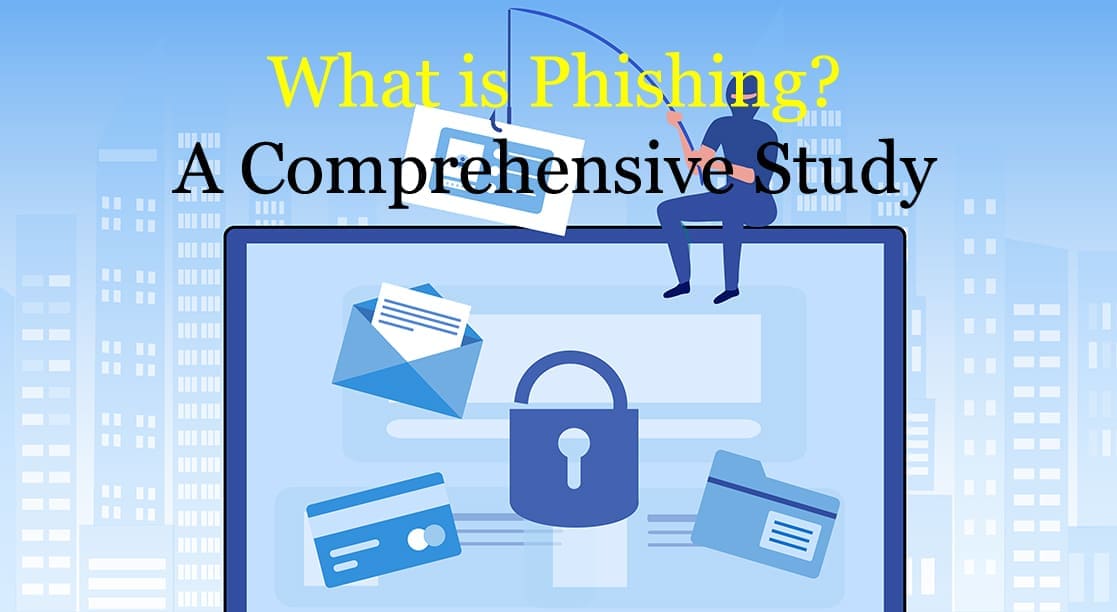
Table of Contents
ToggleWhat is Phishing? A Complete Guide to Recognizing and Preventing Attacks
Ever received an urgent email from your bank asking you to verify your account details immediately? Or a text message about a package you don’t remember ordering, with a link to track it? If so, you’ve likely encountered a phishing attack.
Phishing is one of the most common and effective forms of cybercrime today. It preys on human psychology rather than complex software vulnerabilities, making everyone a potential target.
This comprehensive guide will demystify phishing. We’ll explore what it is, how it works, the different types of attacks, and most importantly, how you can recognize and protect yourself from them.
What is Phishing? The Official Definition
Phishing is a type of social engineering attack where a malicious actor impersonates a legitimate individual or organization in an electronic communication—typically an email, text message, or phone call—to deceive victims into revealing sensitive information.
The goal is to steal valuable data such as:
- Login credentials (usernames and passwords)
- Credit card numbers and bank account details
- Personally Identifiable Information (PII) like your full name, address, and social security number
- Company trade secrets and financial data
The term “phishing” is a play on the word “fishing” because attackers use a deceptive “lure” (the fake message) to “fish” for victims from the vast sea of internet users.
How Does a Phishing Attack Work?
Most phishing scams follow a simple, three-step process:
- The Lure: The attacker crafts a fraudulent message designed to look like it’s from a trusted source—a bank, a popular social media site, a government agency, a delivery service, or even a colleague. This message often creates a sense of urgency, fear, or curiosity to provoke an immediate action.
- The Hook: The message contains a malicious link or attachment. Clicking the link often leads to a fake website that is a pixel-perfect copy of the legitimate site. Opening the attachment can install malware, like ransomware or spyware, onto your device.
- The Catch: On the fake website, the victim is prompted to enter their sensitive information (e.g., login credentials). Once entered, this data is sent directly to the attacker. If malware was installed, it begins its work of stealing data or encrypting files in the background.
What is Phishing: Common Types
Phishing isn’t a one-size-fits-all attack. Scammers have developed several specialized methods to increase their chances of success.
1. Email Phishing
This is the most widespread form of phishing. Attackers send out thousands of fraudulent emails to a large number of people, hoping a small percentage will fall for the scam. These emails are often generic, with greetings like “Dear Valued Customer.”
2. Spear Phishing
Unlike the broad approach of general phishing, spear phishing is highly targeted. The attacker researches their victim (an individual or a specific company) and crafts a personalized message. The email might use the victim’s name, job title, and other specific details to appear more credible. For example, a fake email to an employee from their IT department asking them to reset their password.
3. Whaling
Whaling is a form of spear phishing that specifically targets high-profile individuals within an organization, such as C-level executives (CEOs, CFOs, etc.) or system administrators. These “big fish” have access to highly valuable information, making them lucrative targets.
4. Smishing (SMS Phishing)
Smishing moves the attack from email to your phone’s text messages (SMS). You might receive a text with a link claiming there’s a problem with a delivery, an issue with a payment, or that you’ve won a prize.
5. Vishing (Voice Phishing)
Vishing involves a fraudulent phone call. The attacker might use a spoofed phone number to appear as if they are calling from your bank or a government agency. They often use an urgent tone to pressure you into revealing personal information over the phone.
6. Angler Phishing
This modern form of phishing takes place on social media. Attackers create fake customer support accounts for well-known companies. When a user publicly complains to a company, the fake account “angles” for them by responding with a link to a fraudulent support page to “resolve the issue.”
How to Recognize a Phishing Attack: 7 Red Flags
Vigilance is your best defense. Look out for these common warning signs:
- A Sense of Urgency or Threats: Messages that demand “immediate action” or threaten to close your account are classic phishing tactics.
- Generic Greetings: Legitimate companies you do business with will almost always address you by your name, not “Dear Sir/Madam” or “Valued Customer.”
- Poor Grammar and Spelling: While some attackers have become more sophisticated, many phishing emails are still riddled with grammatical errors and typos.
- Mismatched Links: Always hover your mouse over a link before clicking it. The preview URL that pops up should match the text of the link. If an email from
paypal.comdirects you to a link likepaypal-security-update.xyz, it’s a scam. - Unexpected Attachments: Be wary of unsolicited emails with attachments, especially
.zip,.exe, or.scrfiles. These often contain malware. - Unusual Sender Address: Look closely at the sender’s email address. Scammers often create addresses that are slight variations of legitimate ones, like
[email protected](with a zero instead of an ‘o’). - Request for Sensitive Information: Reputable organizations will never ask you to send your password, credit card number, or other sensitive data via email.
How to Protect Yourself from Phishing
- Think Before You Click: This is the golden rule. If an email or message seems suspicious, it probably is. Please take a moment to analyze it for the red flags above.
- Enable Multi-Factor Authentication (MFA): MFA adds an extra layer of security. Even if a phisher steals your password, they won’t be able to access your account without the second verification factor (like a code sent to your phone).
- Keep Your Software Updated: Ensure your browser, operating system, and antivirus software are always up to date to protect against the latest security vulnerabilities.
- Verify Requests Independently: If you receive an urgent request from your bank, don’t click the link in the email. Instead, open a new browser tab and manually type in the bank’s official web address or call them using the number on the back of your card.
- Be Cautious on Public Wi-Fi: Avoid accessing sensitive accounts like online banking when connected to unsecured public Wi-Fi networks.
What to Do If You’ve Been Phished
If you suspect you’ve fallen for a phishing scam, act quickly:
- Disconnect: Immediately disconnect the compromised device from the internet to prevent further data loss or malware spread.
- Change Your Passwords: Change the password for the compromised account and any other account that uses the same or a similar password.
- Contact Financial Institutions: If you’ve shared financial information, contact your bank and credit card companies immediately to report the fraud and block your cards.
- Scan Your Device: Run a full scan with reputable antivirus and anti-malware software to find and remove any malicious programs.
- Report the Attack: Report the phishing message to the company that was impersonated. You can also report it to government authorities like the Anti-Phishing Working Group (APWG) or your country’s cybersecurity agency.
Conclusion: Your Best Defense is Awareness
Phishing is a persistent and evolving threat, but it relies on tricking the user. By understanding how these attacks work and learning to spot the red flags, you can transform from a potential target into a strong line of defense. Stay skeptical, stay alert, and always think before you click.
Frequently Asked Questions on What is Phishing
Q1: Can I get phished by just opening an email? Generally, no. Simply opening a standard phishing email is unlikely to compromise your device. The real danger comes from clicking a malicious link, downloading a compromised attachment, or replying with sensitive information. However, some advanced attacks can exploit vulnerabilities in email client software, so keeping your software updated is crucial.
Q2: What is the difference between phishing and spam? Spam is unsolicited junk mail, like advertising or irrelevant newsletters. While annoying, it’s not always malicious. Phishing is a malicious subset of spam designed specifically to deceive you and steal your information. All phishing is spam, but not all spam is phishing.
Q3: Are phishing attacks only done through email? No. While email is the most common method, phishing can occur through any communication channel, including text messages (smishing), phone calls (vishing), social media (angler phishing), and even in-app messaging.
Q4: How do phishers get my email address? Phishers acquire email addresses in several ways: from data breaches of websites you’ve signed up for, by purchasing lists on the dark web, or by using software to “scrape” them from publicly available sources like websites and social media profiles. 0 0 0
What is Phishing: A Lyric
(Verse 1)
Woke up Thursday, sun was bright
Checked my inbox, morning light
A message there, in bold and red
“Your Account is Frozen,” the subject said
From my own bank, the logo seemed so true
“Verify your details, we’re waiting for you”
A link was there, a simple click away
Said “Act right now, don’t delay!”
My heart beat fast, I felt a rising dread
Then a tiny question popped inside my head…
(Chorus)
Oh, tell me now, what is phishing?
It’s a fake disguise, a baited line
They cast a net for your design
To steal the keys to what is mine
It’s a digital masquerade, a cunning wish
Yeah, that’s the answer to what is phishing.
(Verse 2)
Later on, my phone let out a chime
A text message, “You’re running out of time!”
“Your package couldn’t be delivered today”
“Pay a tiny fee to send it on its way”
It knew my name, it felt so real and near
Playing on my hope and preying on my fear
The link looked short, an easy, simple tap
To lead my trust right into their trap
I paused again, I knew this felt amiss
Another trick, another digital hiss.
(Chorus)
And I know now, what is phishing!
It’s a fake disguise, a baited line
They cast a net for your design
To steal the keys to what is mine
It’s a digital masquerade, a cunning wish
Yeah, I’ve got the answer to what is phishing.
(Bridge)
So check the sender’s strange address
Look for typos in the mess
That sense of urgency they press
Is just a part of their finesse
Hover over links, don’t give in to the rush
Turn their clever lure into digital dust.
(Outro)
So next time that urgent message calls your name
And tries to pull you into its wicked game
You’ll stand up tall, you won’t be their prized fish
Because you know exactly what is phishing.
Yeah, you know now… what is phishing.
N.B. If you find the article: What is Phishing, please let us know your feedback. Thank you for your reading.